Quick answer: An electric vehicle over-the-air (OTA) update lets a manufacturer deliver certain vehicle software changes remotely, usually over a supported wireless connection. Some updates add functions or address reliability issues, while others may provide the software remedy for a safety recall. A downloaded update is not automatically proof that every safety recall on your EV has been resolved. In the United States, check the vehicle identification number (VIN) using the official NHTSA recall lookup and follow the automaker’s specific instructions.
What exactly is an EV OTA update?
Modern EVs rely on software for functions such as battery management, charging communication, driver displays, connectivity, driver-assistance controls and entertainment. Manufacturers may distribute some software changes through built-in cellular connectivity or Wi-Fi instead of asking every owner to visit a workshop. The components that can be updated vary by model, year and hardware.
Ford’s 2026 owner-oriented OTA explanation describes both feature improvements and recall remedies, and notes that some installations need planned vehicle downtime. Other manufacturers use different update methods; never assume one brand’s instructions apply to another.
Feature update, security update or safety recall: what is the difference?
| Type of change | Typical purpose | Owner action |
|---|---|---|
| Feature or usability update | Revise interfaces or add supported functions | Read the release notes and installation instructions |
| Reliability or security update | Address software stability, compatibility or security concerns | Follow the manufacturer’s update guidance promptly |
| Safety-recall software remedy | Correct a specific safety defect or noncompliance in affected vehicles | Confirm the recall, VIN eligibility and whether the remedy completed |
| Recall requiring physical service | Replace or inspect components, possibly alongside a software update | Arrange the authorized repair specified in the notice |
Key distinction: An update’s delivery method does not determine whether it is a recall. A safety recall is identified through an official defect or compliance process. Some can be remedied remotely; others require physical service.
Step by step: how to check your EV for an open safety recall
- Find your 17-character VIN on the vehicle, registration or insurance paperwork.
- Visit NHTSA.gov/recalls and perform the VIN search.
- Read the affected-component description, safety risk and remedy information if a recall appears.
- Open the vehicle manufacturer’s owner portal or app to check whether the exact remedy is available over the air or at a dealership.
- Follow the notification’s completion steps and retain the confirmation or service record.
- If an open recall still appears after an OTA installation, contact the manufacturer or authorized dealer rather than assuming the search is simply wrong.
The NHTSA tool primarily identifies unrepaired recalls. Its page explains that completed recalls, some very recent campaigns and non-safety service actions may not appear in the same results. The official VIN lookup therefore complements rather than replaces the manufacturer’s service records. Our EV battery recall and VIN checking guide explains the process in more detail.
Before installing a vehicle software update
Read the exact notification before you select Install. If it says the vehicle must be stationary and unavailable for use, choose a time when you will not need to drive. Follow any model-specific prerequisites involving charge level, battery condition, internet connectivity, doors, parking brake or ignition. These requirements differ by automaker and update.
Do not disconnect the vehicle’s power supply, attempt to interrupt an active installation or drive a car that expressly says it is not ready. Keep passengers informed if the update makes some vehicle functions temporarily inaccessible. If you rely on the EV for essential transportation, arrange a suitable alternate time or transport before starting a downtime-required update.
How to verify that the OTA update finished
Check the vehicle’s software screen or official manufacturer app for a completed-update message, version information or release notes where provided. If the update was advertised as a recall remedy, look for the specific campaign identifier and any completion confirmation from the automaker. Re-check the VIN’s recall status after the manufacturer has processed completion records, and ask for clarification if it remains outstanding.
Some updates install only a part of a wider remedy, or require a further inspection. A new software version displayed on the dashboard alone is not sufficient evidence that every safety campaign is closed.
What if the update stalls, fails or shows a warning?
First consult the official update instructions for your vehicle. Connectivity, charging state and scheduling conditions can sometimes affect an installation, but an error message should not be diagnosed from appearance alone. Avoid generic internet instructions for rebooting safety-related modules, and do not bypass a warning to drive. Contact the automaker’s technical support or an authorized service center if the instructions do not resolve the issue.
Privacy and cybersecurity considerations
Connected vehicle services can involve account credentials, connectivity and diagnostic data. Protect the manufacturer’s account with a strong password and available multi-factor authentication. Install only updates delivered through recognized manufacturer systems and be cautious of unsolicited messages asking you to download vehicle software from an unfamiliar link. NHTSA’s Cybersecurity Best Practices for Modern Vehicles is industry guidance, not a promise that every connected vehicle is immune to cyber risks.
Related EV guides and official sources
Readers comparing the software behind automated charging can consult our Plug & Charge and ISO 15118 guide. Primary sources: NHTSA recall search, Ford’s 2026 OTA explainer, and Ford’s connected-vehicle support resources. Always use the instructions for your own VIN and model.
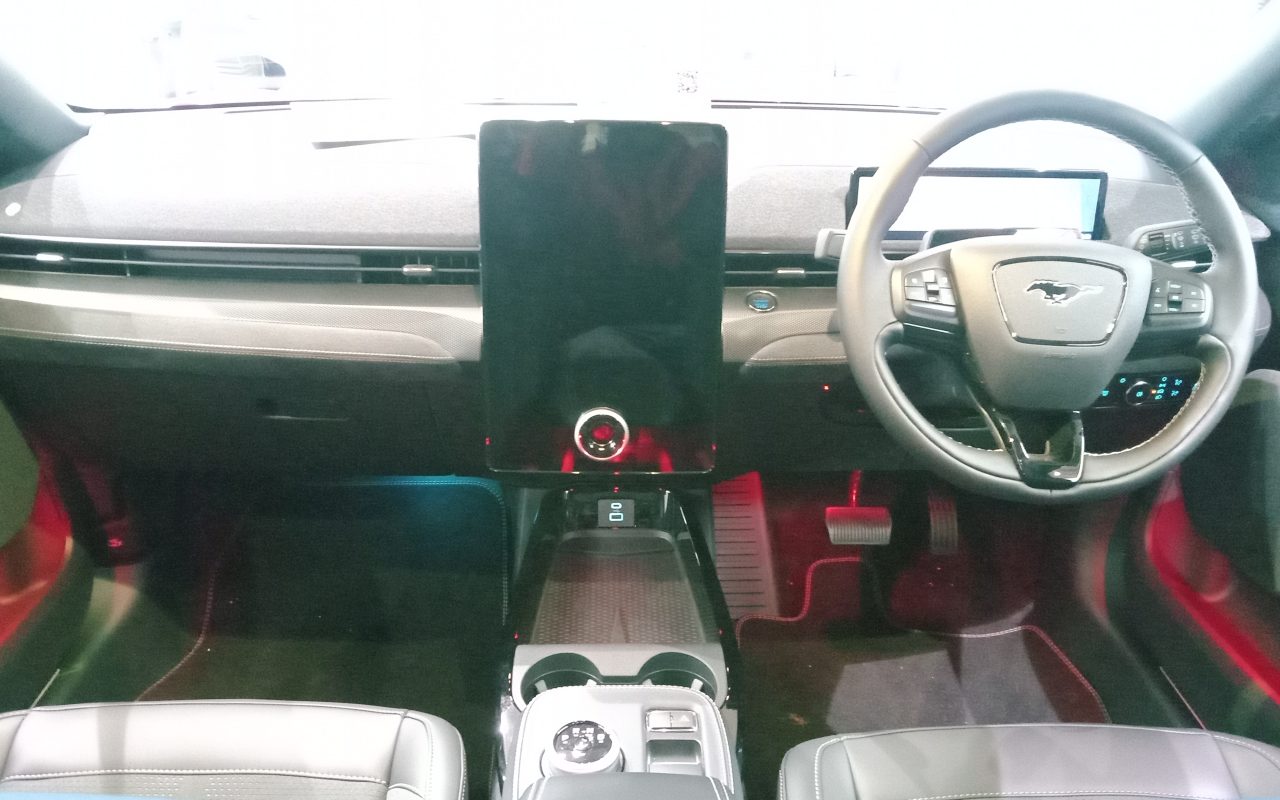
Image: A genuine 2023 Ford Mustang Mach-E GT cockpit photographed at a UK showroom. It illustrates an EV infotainment interface, not an OTA update actually running. MoCars / Wikimedia Commons, CC0 1.0.
Sık Sorulan Sorular
Does every EV software update fix a safety recall?
No. Some updates deliver features, security improvements or reliability changes without being a recall remedy. Confirm that a particular VIN-specific recall has been completed through the manufacturer and official recall records.
Can I drive while my electric car is updating?
It depends on the update and vehicle. Some updates install in the background, while others make the vehicle temporarily undrivable. Follow the on-screen prompts and manufacturer instructions.
What if an OTA update will not install?
Read the manufacturer notice, check the prerequisites it specifies, and contact authorized support if the process fails or warning messages remain. Do not attempt unsupported software resets or assume a safety recall has been repaired.