Quick answer: If your electric car will not charge, first read the vehicle’s exact charging message and determine whether the problem is the charger, charging session, cable or vehicle. Check whether charging has been delayed by a schedule or charge limit; verify the station’s payment and availability; and only reconnect equipment if it is visibly undamaged and safe to handle. Never open electrical cabinets, bypass safety interlocks or work on a high-voltage battery.
There is no single reset sequence that works for every electric car. The Tesla Model 3 troubleshooting alerts show that an apparent failure can arise from cable seating, charge-port communication, vehicle limits or a service fault. The U.S. Department of Energy Alternative Fuels Data Center explains the different charging station types and connector ecosystems. Use those distinctions to diagnose the symptoms rather than guessing.
EV not charging: start with these seven safe checks
- Check the charging screen. Is the session stopped, scheduled for later, complete at the selected limit, or showing an error? A stopped session and a fault are not necessarily the same thing.
- Confirm compatibility. Check the vehicle’s accepted connector and whether any adapter is approved for the exact car and charger.
- Check the station display or app. Public charging may require account authorization, a payment method, parking access or a separate Start button. An offline or occupied station may not work.
- Inspect from outside. If the cable, plug, socket, charger or car shows physical damage, burning, smoke, obvious overheating or exposed conductors, stop. Do not disconnect a damaged energized assembly unless the operator says it is safe.
- Use the normal documented sequence. If no hazard exists, follow the car and charging operator’s stop, disconnect and reconnect instructions; do not yank a locked handle.
- Try a verified alternative source. If safe and practical, test a second compatible charger. This can help distinguish a station problem from a persistent vehicle fault without proving which component failed.
- Record the evidence. Note the station ID, date, charging type, battery percentage, app status and complete dashboard error text for the charging operator or service team.
Match the symptom to the likely next step
| What you see | Possible explanation | Practical next step |
|---|---|---|
| Car connected but session has not started | Scheduled start, authorization not completed or connector not seated | Check timer, station app and documented connection sequence |
| Charging starts and immediately stops | Communication fault, station issue, vehicle protection or site power interruption | Save error messages; stop retries if faults repeat; contact operator |
| AC home charge fails but DC works | Possible AC supply, charger, onboard charging or communication issue | Check safe external status indicators; have equipment checked professionally |
| DC charger fails but AC works | Connector compatibility, DC communication, temperature or vehicle limitation | Use a compatible alternative DC charger and review specific errors |
| Charging appears unusually slow | AC vehicle limit, battery temperature, battery SoC or station power-sharing | Compare actual power with realistic model-specific limits |
| Charging cable will not release | Active session or mechanical/electronic locking mechanism | Stop the session and use only documented unlock procedures |
These are diagnostic possibilities, not confirmed faults. For understanding charging speeds, see our EV charging time guide; for the locking problem, see our related Guides archive.
Why does my EV say “charging scheduled” or “charging complete”?
Many EVs permit a departure schedule, reduced electricity-tariff schedule or selected charge limit. If the battery has already reached its target, the vehicle may correctly stop adding energy. A car that waits for an overnight tariff can show the connector as attached while not drawing power. Review the exact vehicle controls and the charger/app schedule—some setups have timers at both ends.
Do not change routine battery charge recommendations merely to make a test start. Different battery chemistries and vehicle manufacturers have different guidance. If you temporarily alter a timer to troubleshoot, restore the owner’s intended schedule after the test.
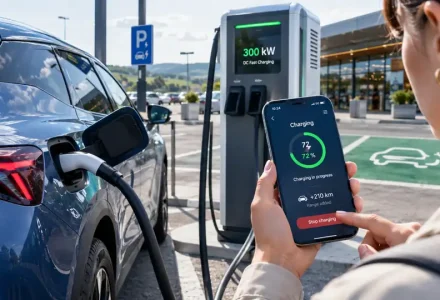
Why does a public fast charger fail to start?
Public stations require a successful session handshake between the car and equipment. The operator may also require an app, contactless payment, RFID card or account. A stalled payment authorization is different from a charge-port hardware fault. Follow the network’s exact on-screen sequence, check the station’s displayed status and verify that the physical connector is the supported one. Never use improvised adapters or disconnect other drivers’ cables.
When your first charger fails, consider another port or station after documenting the issue. If several verified compatible chargers show the same vehicle-specific warning, seek professional diagnosis. The EPA’s EV charging details also explain why actual charging performance varies with the vehicle and station; slow charging alone may be normal.
Why does my home EV charger stop working?
A home wallbox can be affected by supply interruption, installation issues, a tripped protective device, an operator-configured schedule or a charger fault. Check only user-accessible status lights and instructions. Do not repeatedly reset a tripping breaker, open the wallbox or change wiring; recurring trips or overheating require a qualified electrician. The EPA’s installation guidance emphasizes qualified installation and equipment suited to the circuit.
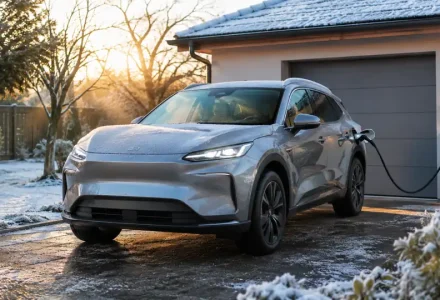
Can cold weather prevent an electric car from charging?
Battery and charge-port temperature can reduce available power and sometimes affect a locking mechanism. Tesla’s official troubleshooting documentation lists model-specific cold-weather charging and latch alerts, including defrost suggestions. Never pour hot water on an electrical connection or pry open a frozen latch. See our battery preconditioning guide for the distinction between battery temperature preparation and charge-port faults.
When should you stop troubleshooting and call for assistance?
- Stop immediately if you see smoke, burning, exposed wires, damaged equipment or signs of flood exposure; contact emergency help where needed.
- Contact the operator if the public station displays persistent faults, locks a cable or cannot end a session.
- Request qualified service if the vehicle displays recurring battery, isolation, charge-port or high-voltage warnings.
- Do not touch orange high-voltage cables or attempt to repair the onboard charger.
- If the vehicle cannot move safely, use manufacturer-approved recovery rather than improvising a tow.
Our EV recovery guide explains why towing procedures differ between models.
What information helps a technician resolve EV charging failures?
Take a photo of the warning display without including private account details; record the vehicle model and year, whether it was AC or DC charging, station name/identifier, battery percentage at the start, whether the station charged another compatible EV and what happened during the attempt. Error codes are especially valuable because “does not charge” can describe several unrelated failures. Avoid posting full VINs, account IDs or payment details publicly.
Frequently Asked Questions
Why is my EV plugged in but not charging?
A scheduled start, reached charge limit, authorization issue, station outage or genuine vehicle fault could explain it. Check the actual status message before changing equipment or settings.
Can I reset an EV charger by switching the breaker off and on repeatedly?
No. Repeated breaker trips can indicate an electrical fault. Follow only the manufacturer’s user instructions and ask a qualified electrician to investigate persistent problems.
Does slow charging mean the EV battery is damaged?
Not necessarily. Temperature, charge percentage, AC onboard charger limits and station power can reduce speed without battery damage.
Is it safe to try another charging station?
If there is no hazard, the connector is compatible and the vehicle has no warning requiring service, an alternative station may help isolate a station issue. Repeated failures or danger signs require professional help.
What if the charging handle is locked?
Stop the session and try normal manufacturer-provided unlocking methods; never force the connector or touch high-voltage components.
Sources and editorial method
Official references include the Tesla charging troubleshooting guide, DOE charging-station overview, EPA charging details and EPA home installation advice. This is a symptom-based checklist, not diagnosis for a specific car or station.